

Manage Your Team
Managing project team members — adding and removing users, assigning roles, setting a Point of Contact, and how roles map to Okta groups and GitLab permissions.
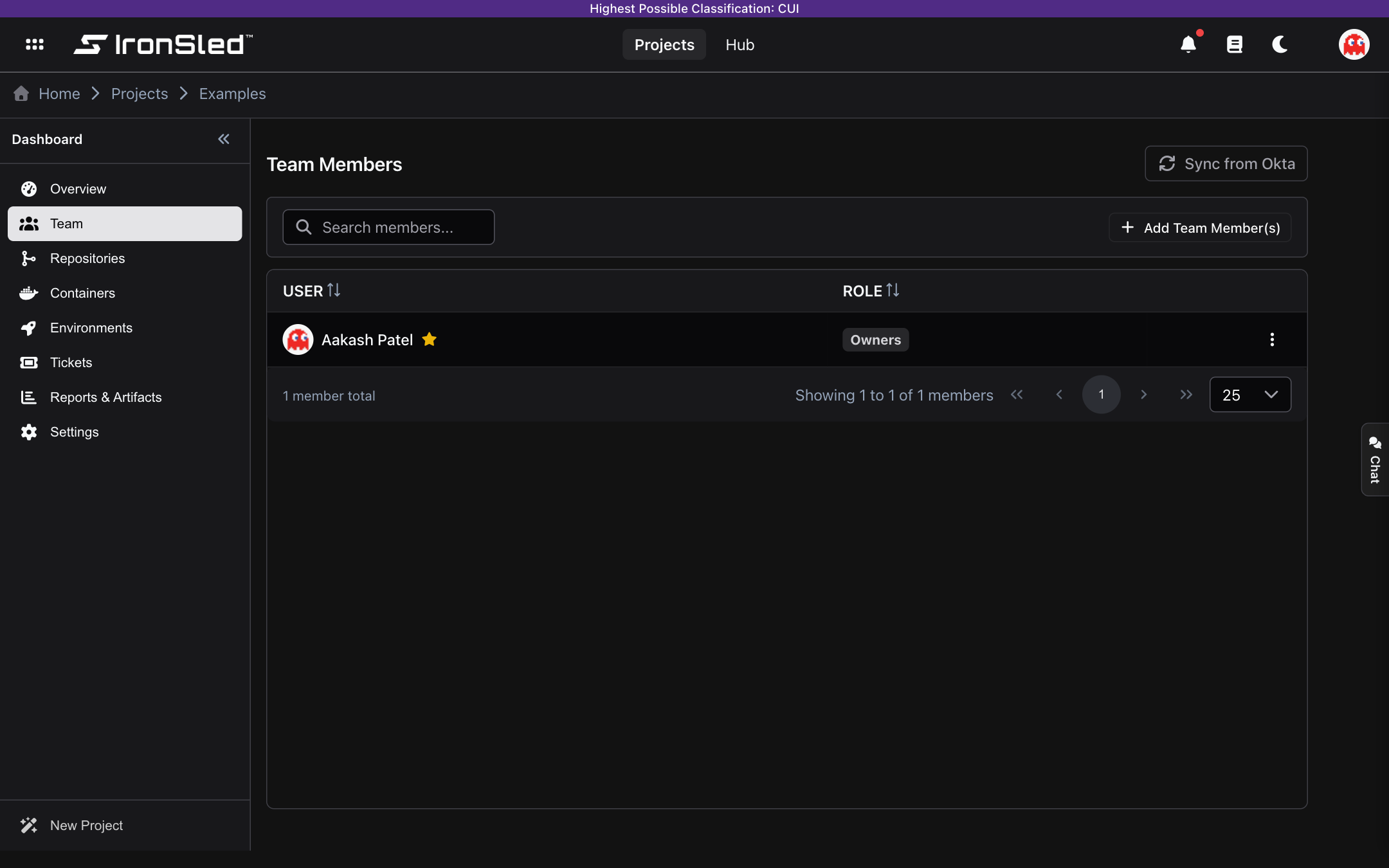
The Team section manages who has access to a project and what they can do. Each team member is assigned a role that determines their permissions within the project, in GitLab, and in Rancher. Changes made here are reflected in Okta identity groups, GitLab project permissions, and Rancher project permissions automatically.
Roles
Every team member is assigned one of five roles. These roles map directly to GitLab access levels and Rancher project roles via Okta groups — the role a member holds in IronSled is the same permission level they have in the project's GitLab repositories and the project's Rancher project.
| Role | Description | GitLab | Rancher |
|---|---|---|---|
| Owners | Full administrative access. Can add and remove members, change roles, set the Point of Contact, and manage project settings. | Owner | Project Owner |
| Maintainers | Can push to protected branches, manage merge requests, and configure repository settings. Can also add, remove, and change the role of other team members. | Maintainer | Project Member |
| Developers | Can push to non-protected branches, create merge requests, and manage issues. | Developer | Read Only |
| Reporters | Read-only GitLab access with the ability to create and comment on issues. No Rancher access. | Reporter | — |
| Guests | Minimal access — can view the project and leave comments in GitLab. No Rancher access. | Guest | — |
Roles follow a hierarchy. A user's effective permissions are determined by their highest assigned role. Members with the Owners or Maintainers role can manage other team members; only Owners can set the Point of Contact and access project-level administrative settings.
How Roles Connect to Okta, GitLab, and Rancher
When a project is provisioned, IronSled creates a set of Okta groups using the project's unique prefix. Each role maps to its own group:
{okta-prefix}{project-prefix}-owners{okta-prefix}{project-prefix}-maintainers{okta-prefix}{project-prefix}-developers{okta-prefix}{project-prefix}-reporters{okta-prefix}{project-prefix}-guests
These Okta groups are bound to two downstream systems:
- GitLab — The Okta groups are linked to the project's GitLab group through SAML group links. GitLab reads the SAML assertion during authentication and grants the matching access level.
- Rancher — The Okta groups are bound to the project's Rancher project, granting the matching Rancher project role. A Rancher project is a logical grouping of Kubernetes namespaces and deployments inside a cluster; the binding applies to every namespace and workload under that Rancher project, so a member with the Maintainer role has Project Member access across all of the project's deployments — not just one.
When a member is assigned a role in IronSled:
- Adding a member adds them to the Okta group and grants GitLab and Rancher access at the matching level.
- Changing a role moves them between Okta groups, updating GitLab and Rancher permissions on their next authentication.
- Removing a member removes them from all project Okta groups, revoking access in both systems.
Reporters and Guests receive GitLab access only — they are not granted any role in Rancher.
No manual GitLab or Rancher permission management is needed — IronSled is the single source of truth for project access.
Adding Members
To add members to a project:
- Navigate to the project's Team section.
- Click the Add Members button (visible to Owners and Maintainers).
- Search for users by name or email — results appear after typing at least two characters.
- Select one or more users to add.
- Choose the role to assign.
- Click Save.
The selected users are added to the project, enrolled in the appropriate Okta group, and granted the corresponding GitLab and Rancher access (Reporters and Guests receive GitLab access only). Users who are already members of the project will not appear in the search results.
Changing a Member's Role
To change a member's role:
- Open the action menu on the member's row in the team table.
- Select Edit Role.
- Choose the new role from the dropdown.
- Click Save.
The member is moved from their previous Okta group to the new one, and their GitLab and Rancher permissions update accordingly on their next authentication.
Setting the Point of Contact
Each project has a single Point of Contact (POC) — the person primarily responsible for the project. The POC is displayed on the project dashboard and serves as the go-to contact for the platform team.
To set a member as POC:
- Open the action menu on the member's row.
- Select Set as POC.
- Confirm the change.
The previous POC (if any) is automatically unset. Only one member can be the POC at a time. The POC cannot be removed from the project — to remove them, first assign another member as POC.
Removing Members
To remove a member from the project:
- Open the action menu on the member's row.
- Select Remove.
- Confirm the removal.
The member is removed from the project, removed from all associated Okta groups, and their GitLab and Rancher access is revoked. Members can also remove themselves from a project, provided they are not the current POC.
Note: The POC cannot be removed. To remove the current POC, first reassign the POC role to another team member.
Syncing from Okta
Platform managers can synchronize team membership from Okta to ensure IronSled reflects the current state of the identity provider. This is useful when group membership has been modified directly in Okta outside of IronSled.
To sync:
- Click the Sync from Okta button (visible to platform managers only).
- Optionally enable Remove unmatched members to remove members who are no longer in any of the project's Okta groups.
- Confirm the sync.
The sync process queries each of the project's Okta groups, adds any new members found, updates roles for members whose group membership has changed, and optionally removes members who no longer appear in any group. If a user appears in multiple groups, they are assigned the highest role.
Permissions Summary
| Action | Owners | Maintainers | Developers | Reporters | Guests | Platform Manager |
|---|---|---|---|---|---|---|
| View team members | Yes | Yes | Yes | Yes | Yes | Yes |
| Add members | Yes | Yes | — | — | — | — |
| Change roles | Yes | Yes | — | — | — | — |
| Set POC | Yes | — | — | — | — | — |
| Remove other members | Yes | Yes | — | — | — | — |
| Remove self | Yes | Yes | Yes | Yes | Yes | Yes |
| Sync from Okta | — | — | — | — | — | Yes |
Upload Projects
The complete Upload-project workflow in IronSled — choosing the Upload project type during onboarding, what gets provisioned, adding a container-upload repository, preparing a Docker image (docker save), uploading the image tar in the UI, and how images are scanned, published, and tracked by status.
Repositories
A project's GitLab repositories — automatic sync, pipelines, Trivy security scanning, SBOMs, release tags, branches, and merge requests.